Camera shutter, permissions and app preview
Open task Separate a covered lens, denied access and an app-specific black camera preview.
Service handoff pack · ThinkPad T14 Gen 2 Intel
Separate privacy controls, microphone input and display or network routing for a repeatable meeting setup.
Planning estimate for assembling existing evidence; excludes testing, backup and service.
Enable JavaScript to record observations. The complete preparation guide is available below.
Save observations in each relevant task. Return here to include their records in one export; untouched tasks remain “not started”.
Separate a covered lens, denied access and an app-specific black camera preview.
Separate hardware mute, selected input and app permissions from a microphone hardware claim.
Compare a single monitor through a documented Intel video connection and preserve detection versus image.
Verify the fitted connection before separating cable/link problems from network access.
Make the privacy choices explicit: Choose whether the camera and microphone should be enabled for this comparison. Use a non-sensitive preview or test; do not record meeting participants. Record the intended built-in or external routes.
Source: ThinkPad T14 Gen 2 user guide · Preparation pack synthesis of the linked manufacturer tasks; individual operations retain their task-specific source sections.
Separate the failing route: Follow the camera and microphone tasks independently. Compare the display connection outside the meeting application. Check Ethernet recognition separately from internet reachability.
Source: ThinkPad T14 Gen 2 user guide · Preparation pack synthesis of the linked manufacturer tasks; individual operations retain their task-specific source sections.
Keep a specific setup record: Identify the failing route and the condition that still works. Mark unavailable accessories and unperformed comparisons. For a managed laptop, pass policy-controlled settings to IT without changing them.
Source: ThinkPad T14 Gen 2 user guide · Preparation pack synthesis of the linked manufacturer tasks; individual operations retain their task-specific source sections.
Repeat and restore preferences: Repeat the same preview/input/display conditions after support. Restore your preferred shutter and mute choices. Keep remaining app-specific symptoms separate from hardware service results.
Source: ThinkPad T14 Gen 2 user guide · Preparation pack synthesis of the linked manufacturer tasks; individual operations retain their task-specific source sections.
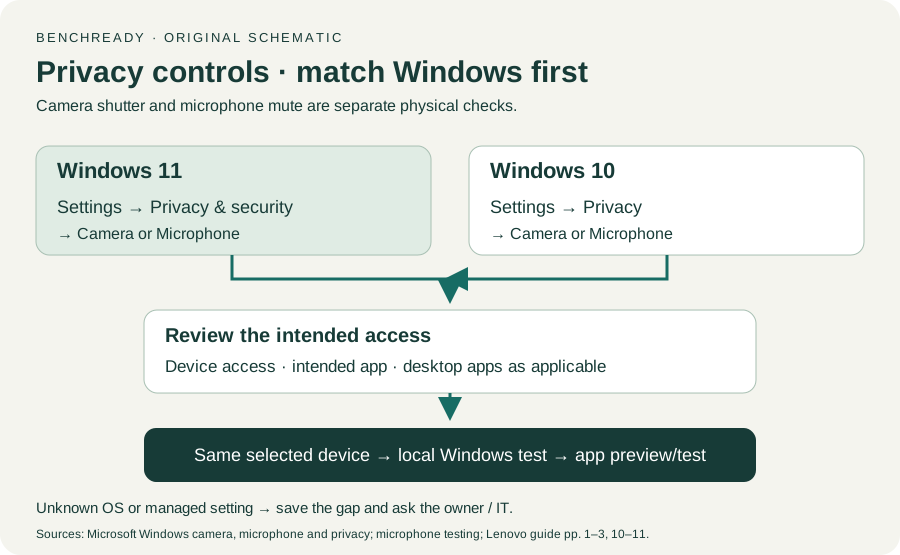
Printed pp. 1–5, 9–14, 16–19, 23–25, 27–33, 62, 65–67 · Checked 2026-10-13
Existing local official PDF/text reviewed for Intel layout, optional hardware, controls, Vantage, power and support
Reference only. Original paraphrase and observation worksheets; no copied images or manual pages.
Original preparation workflow based on the linked documents. No hands-on device repair testing is claimed.